Settings and account deletion
What each Settings page holds, the editor defaults you can change, and exactly what deleting your account removes.
Last updated Oct 26, 2026
Settings holds your account details, your plan and usage, and the defaults the editor starts with. It is also where you delete your account.
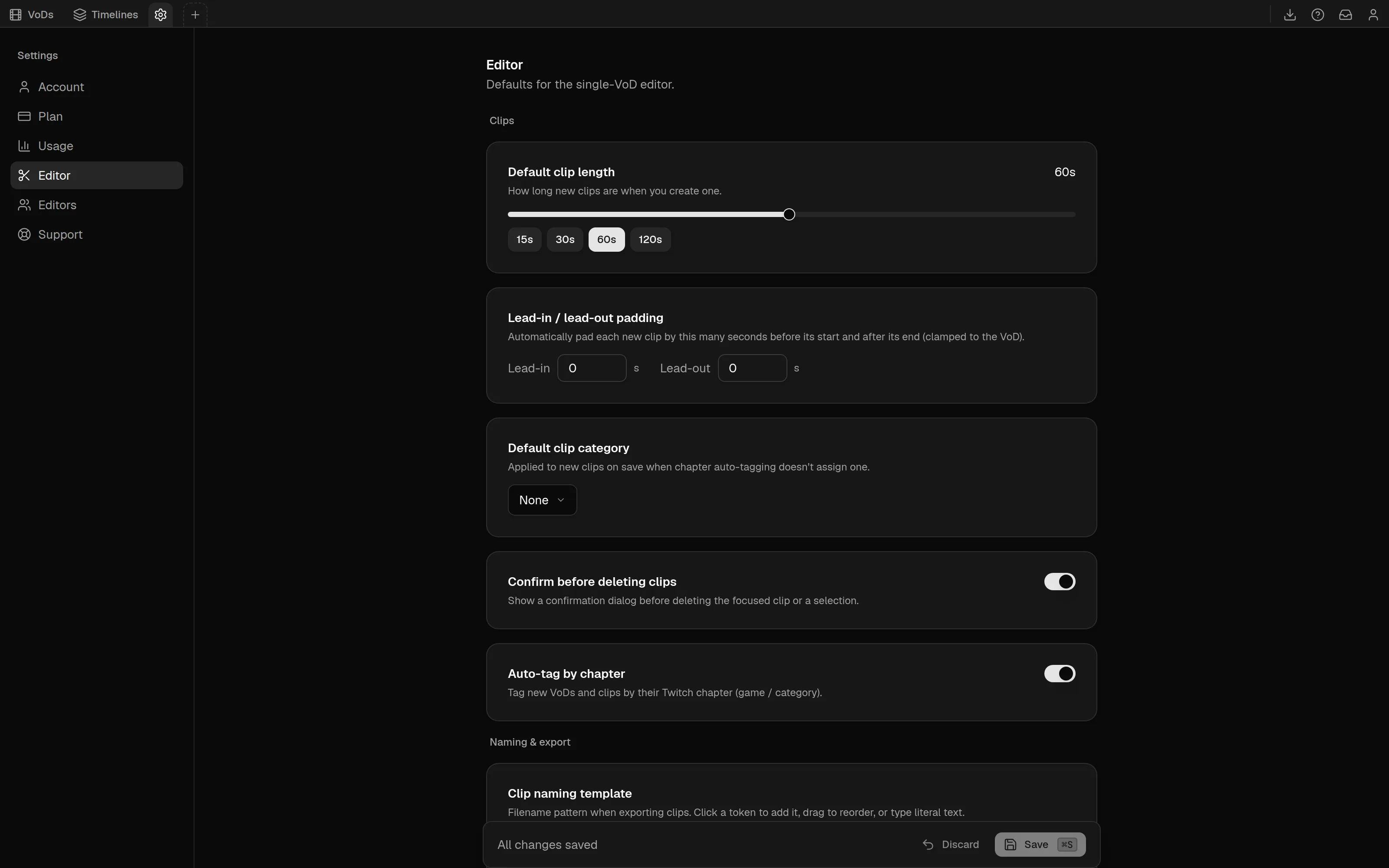
The settings pages
The list on the left has these entries.
| Page | What it holds |
|---|---|
Account | Your Twitch profile, appearance, sign out and account deletion. |
Plan | Your subscription, card and invoices. See Plans, quotas and billing. |
Usage | Your four quotas for the month. |
Editor | Defaults for the single-VoD editor. |
Editors | Invite editors to your plan. It only appears if you can. See Editor seats. |
Desktop app | Settings for the desktop app. It only appears inside the app. |
Support | Your support tickets. |
Account
The page shows the name, email and avatar from your Twitch account, which sync again each time you sign in. To change them, change them on Twitch.
ThemeisDark,LightorSystem, and applies across the whole app.Reduce motionminimizes animations and transitions.Manage billingopens thePlanpage.Sign outsigns you out.
Editor defaults
The Editor page needs a plan. Without one it says Editor access required. Changes are not applied until you select Save or press Cmd/Ctrl + S. Discard drops them, and leaving the page with unsaved changes asks first.
Clips
Default clip length, from 1 to 120 seconds, with quick-pick buttons. This is the lengthCuses. See Clips.Lead-in / lead-out padding, from 0 to 60 seconds each, added before the start and after the end of each new clip.Default clip category, applied when a clip is saved and auto-tagging does not assign one.Confirm before deleting clips.Auto-tag by chapter, which tags new VoDs and clips by their Twitch chapter.
Naming and export
Clip naming template, the filename pattern for downloads.Clip codec,MP4 (H.264)orWebM (VP9).Auto chat-overlay on export, which also starts the chat overlay render when you export a clip's video.
Playback
Default volumeandDefault playback rate, from 0.25x to 4x.Seek steps,Smallfor the arrow keys andLargefor Shift with the arrow keys, from 1 to 60 and 1 to 600 seconds. They start at 5 and 30. See Keyboard shortcuts.Remember last session, which makes your last volume and speed the new defaults.
Chat render defaults
A preview with sample chat and the layout and style options used whenever you render a chat overlay without changes of your own.
Support
Select New ticket to open a ticket. Replies appear in the ticket, and a count of unread replies shows next to Support. Each ticket shows a status: Open, Your reply needed, Resolved or Closed.
Delete your account
On the Account page, Delete account is at the bottom. A dialog titled Delete your account? asks you to confirm with Delete account, or you can choose Keep account. Deletion cannot be undone.
What happens:
- Your sign-in connection and sessions are deleted at once, and your name, email and avatar are cleared. You are signed out and sent to the home page.
- Every clip you made is removed.
- Each VoD that only you hold is deleted after 15 days. A VoD that other people also hold stays for them.
- Your subscription is canceled. If you shared your plan, all of your editors lose access. If you were an editor on someone's plan, you leave it.
- The rest of the account record is removed after the same 15 days.
If you used a free trial, signing in again with the same Twitch account does not start another one.
To remove a single VoD instead, see the VoD library.
Editor seats
Share your plan with up to 10 editors. How to invite them, what they get, how they accept, and how to remove an editor or leave a plan.
Free chat overlay renderer
Render up to three minutes of a public Twitch VoD's chat as an MP4 or a transparent MOV in your browser. Needs Twitch sign-in, 10 renders a day.